
THE UNIVERSAL DATABASE TOOL
The database client with the highest user satisfaction*Rated 1st place on G2.com (4.7 / 5)
DbVisualizer has a long history of being the preferred database tool for the world’s leading data professionals.





PRODUCT OVERVIEW
DbVisualizer has everything you need to build, manage and maintain state-of-the-art database technologies. Each feature has been thoughtfully crafted to solve real world problems.

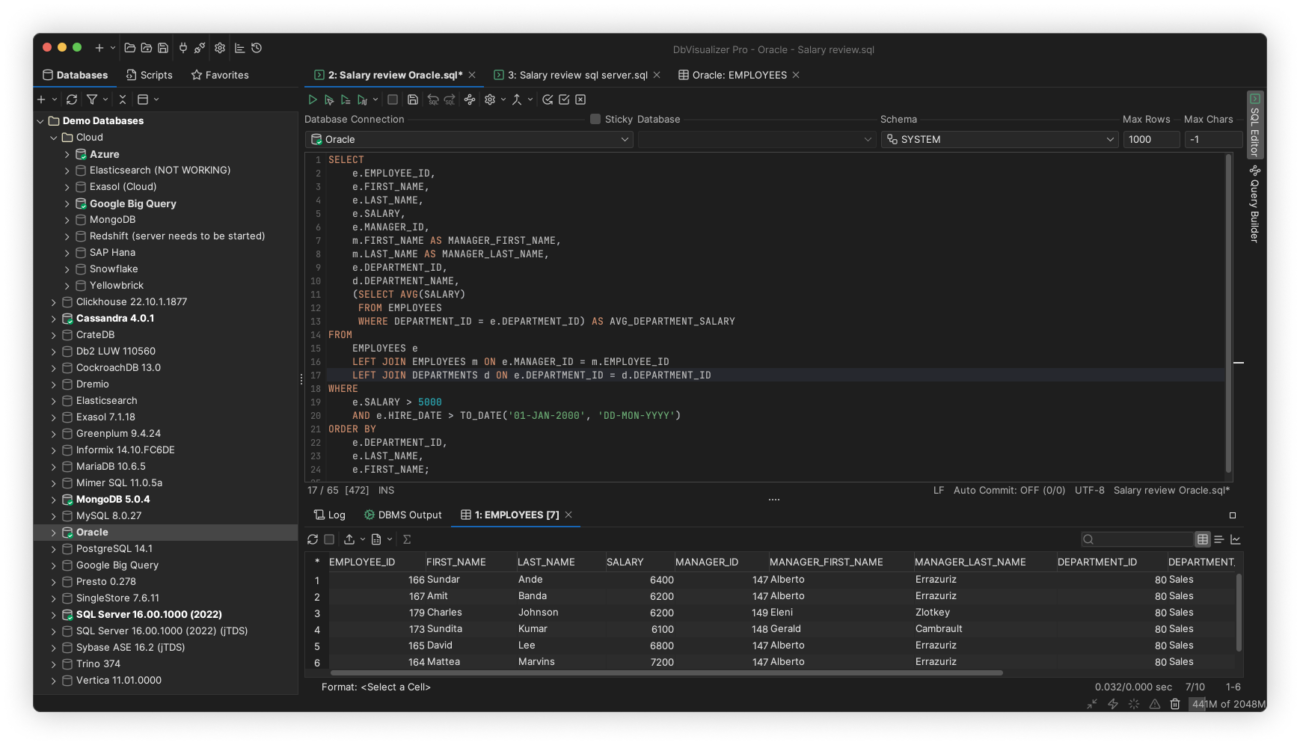
DATABASE COVERAGE
It connects to all popular databases
DbVisualizer is the only database tool you’ll need. Everything you need to gather data from all your data sources is bundled right in - including support for database-specific object types and more.












AI Assistant
AI Assistant
DbVisualizer introduces an integrated AI assistant.
Opt-in for the AI assistant in DbVisualizer! It will help you work faster and more confidently with your databases. It supports everyday tasks like writing and improving SQL, understanding schemas and results, and troubleshooting errors, with explanations and suggestions tailored to what you are working on.
HIGH USER SATISFACTION
Leading the way in user satisfaction
DbVisualizer is continuously developed in close collaboration with our users. We pride ourselves in engineering software of the highest quality and deliver support to our users directly from our developers.
Because that’s the kind of support we like.


SQL EDITOR
Advanced SQL editor
DbVisualizer includes an advanced SQL editor that will help make your coding life easier.
AUTOMATIC FORMATTING AND SUGGESTIONs
Write beautiful queries
Copy-pasted queries can be easily formatted to your liking and auto-suggestions will help you write efficiently.

VARIABLES
Simplify the re-use of queries
DbVisualizer variables make it easy for users to modify specific values inside a query as it is being initiated.

MANAGE YOUR DATABASES
Access, explore and optimize
DbVisualizer is a universal database client that will help you access, explore and optimize most popular databases.
Explore and visualize
Easily viewed, managed and control your stored data.
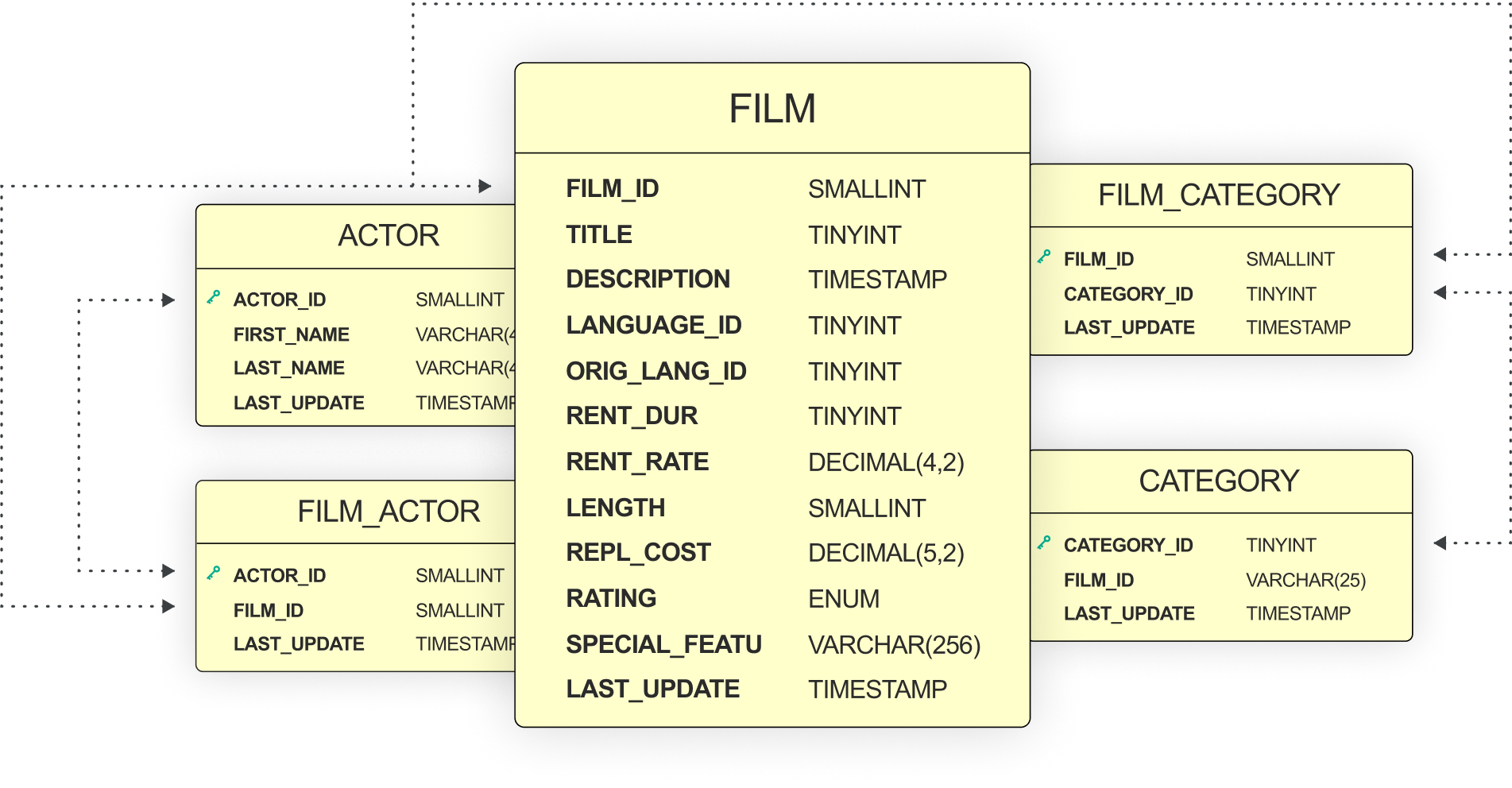
Driver management via Maven
JDBC driver management is built in with version handling.

Custom object types and actions
We support unique object types across a huge range of databases.

MANAGING DATA
Take control of your data
The data stored in your database can be easily managed and controlled with DbVisualizer.
Results visualization
As you get the result from a query, you can decide how it should be presented. You can choose from a simple table to various graphs with custom design.
Inline editing
You can edit data directly in the DbVisualizer viewer. Each edit will be highlighted and saved locally until you decide to commit your updates to the database.
Exporting
You can export a result set into almost any file format, with specific formatting. There are also quick-export options for when you just want to open the result set as a spreadsheet.
WORKFLOW
Built to match your workflow
You can set up DbVisualizer to perfectly match how you want to work. Inside and outside of the application.
Manage data with command lines
Script it yourself or have it generated outside of the DbVisualizer UI.
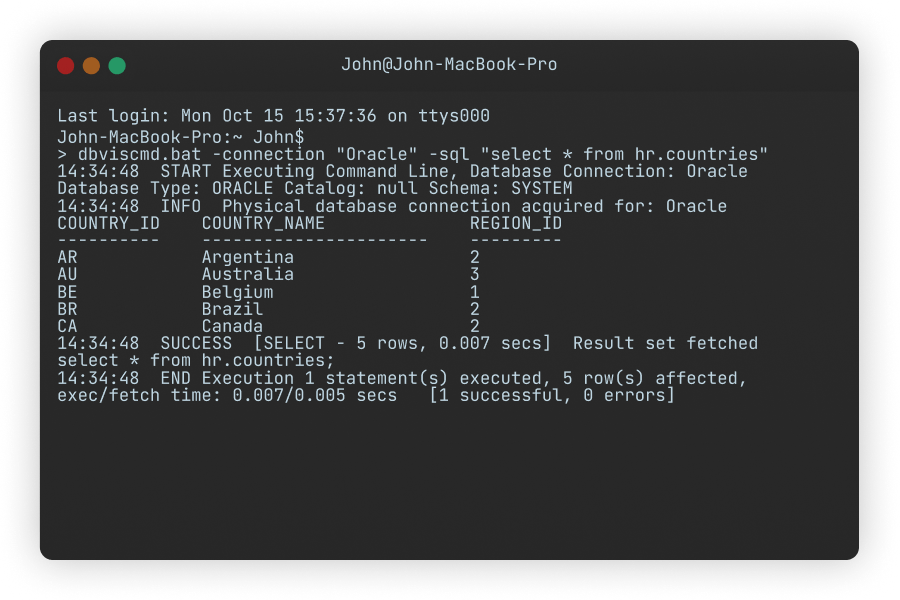
Client-side commands
Execute imports, exports or even emailing directly from your code.

Customization
Save your workspace with tabs and scripts for easy access.

VERSION CONTROL
Version control with Git
DbVisualizer includes integrated support for version control using Git.
Get started by cloning a remote repository or mounting an existing one, switch branches, push changes, fetch updates and explore commit history - the essentials are there for a comfortable and efficient workflow. If you are using GitHub, you will be able to use the web-based authentication flow.
SECURITY
Meeting the toughest security standards
DbVisualizer is set up to meet the toughest security standards. Encrypt data, restrict access, and more.
Data encryption with SSH
Connect to databases with high security and only transfer data with strong encryption.
Master password protection
Set a strong master password in DbVisualizer, so that all your data is safely secured on your computer.
Secure data access
Set clear user permissions to avoid human error and unintended actions.
reviews
Our users love our product
Don’t take just our word for it. Our users are vocal fans of our product.
Mike V
Corporate Director of Information Systems
Pros: Easy to install and configure; use same interface across multiple database platforms. Quick and dirty use of SQL while still being able to do things like browse tables.Cons: Rough upgrade process, but the most recent major release fixed this with a more automatic process.Overall: We needed...
Pros: Easy to install and configure; use same interface across multiple database platforms. Quick and dirty use of SQL while still being able to do things like browse tables.Cons: Rough upgrade process, but the most recent major release fixed this with a more automatic process.Overall: We needed a tool to just be able to get data out of RDMS'. This fit the bill. It uses a JDBC common denominator to show less

Verified user.
Review from SourceForge
Michael F.
CTO
Really great database tool Really positive experience with a great product that I can recommend to anybody that works with different databases.Pros Really easy to use with many different databases and auth options. Have not yet found any thing that can’t be done.Cons Java setup and dependencies can be a bit tricky on some setups, but I have it working on both windows and Linux, so not that bad.
Really positive experience with a great product that I can recommend to anybody that works with different databases.Pros Really easy to use with many different databases and auth options. Have not yet found any thing that can’t be done.Cons Java setup and dependencies can be a bit tricky on some setups, but I have it working on both windows and Linux, so not that bad. show less

Verified user.
Review from Capterra
Michel M.
Oracle Exprt
User-friendly tool Pros The integrated "compare" functionality The GIT integration The robustness of the software The number of regular updatesCons The "describe" function using Oracle data dictionary. Apart from that, I don't see any real "flaws" to point out. In any case, nothing insurmountable.Switched from ToadPrice and functionalities. User-friendly
Pros The integrated "compare" functionality The GIT integration The robustness of the software The number of regular updatesCons The "describe" function using Oracle data dictionary. Apart from that, I don't see any real "flaws" to point out. In any case, nothing insurmountable.Switched from ToadPrice and functionalities. User-friendly show less
Verified user.
Review from Capterra
Daniel P.
Analyst
DbVis Best Choice Very positive, I've had amazing service when I've had to email in, and very fast responses to all inquiries.Pros Absolutely flawless GUI with ease of navigation, robust ability to connect with multiple conne...
Very positive, I've had amazing service when I've had to email in, and very fast responses to all inquiries.Pros Absolutely flawless GUI with ease of navigation, robust ability to connect with multiple connections of varying types, or versions, and outstanding query formatting abilities. Database Dictionary creation could use a little bit of work, but with the addition of AI in the newest version the groundwork is definitely there.Cons Pay wall. I understand show less
Verified user.
Review from Capterra
Rob G.
Operations and Systems Director
What is not to like about DbVisualizer? Superb. I use it every day! I have a number of databases that I regularly use to either develop against or to extract information for whatever analysis I want to perform. My goto is DbVisual...
Superb. I use it every day! I have a number of databases that I regularly use to either develop against or to extract information for whatever analysis I want to perform. My goto is DbVisualizer. No other tool I have used comes anywhere close.Pros What I love most is that I can EASILY post lots of data to and from a spreadsheet!! What you are looking to seed data this is show less
Verified user.
Review from Capterra
Anup C.
Software Engineer
DbVisuaizer: A Reliable and Versatile Tool for Everyday Database Management Overall, DbVisualizer is a dependable and powerful database tool that excels in relational data management.Pros - Easy to use. - Clean interface - Lea...
Overall, DbVisualizer is a dependable and powerful database tool that excels in relational data management.Pros - Easy to use. - Clean interface - Learning curve is moderate - Like visual query building, ER diagrams, and clear table relationship views making easier to understand complex database structures.Cons So far, I genuinely have not encountered any significant issues or drawbacks with the tool, and it has consistently met my expectations across all areas of show less
Verified user.
Review from Capterra
Eric F.
Business Intelligence Developer
DbVisualizer Streamlines Data Gathering Needs into 1 Application DbVisualizer streamlines my query needs by making it a one-stop shop. I have MongoDB, T-SQL, Oracle, etc. connections set up so I can access everything from o...
DbVisualizer Streamlines Data Gathering Needs into 1 Application DbVisualizer streamlines my query needs by making it a one-stop shop. I have MongoDB, T-SQL, Oracle, etc. connections set up so I can access everything from one simple query tool. I like how I can connect to multiple database types from one application. I also like being able to quickly view the data without having to write or wait for a default show less
Verified user.
Review from Capterra
Karl Nicoletti
My DB Client of choice! DbVisualizer is the easiest, most straightforward database development and troubleshooting tool I have used in my 30+ years as a developer. I have been using the Pro edition for almost five years ...
My DB Client of choice! DbVisualizer is the easiest, most straightforward database development and troubleshooting tool I have used in my 30+ years as a developer. I have been using the Pro edition for almost five years now. Some of the features I find MOST useful are: 1) View complete DDL including all constraints, 2) Debug Window!, 3) Drill down into and view blob field contents, 4) Format SQL, show less

Verified user.
Review from g2.com
Computer Software
Intuitive UI, Smooth Performance, and Easy Exports for Reporting What do you like best about DbVisualizer? The UI feels intuitive, and I really appreciate that it still runs smoothly even when I’m working with an enormo...
What do you like best about DbVisualizer? The UI feels intuitive, and I really appreciate that it still runs smoothly even when I’m working with an enormous number of lines in a SQL Commander window. That reliability is especially useful for my day-to-day work. I also find the export options easy to use which is very useful for creating reports.What do you dislike about DbVisualizer? It will occasionally freeze when I’m running show less
Verified user.
Review from g2.com
Information Technology and Services
Easy to Navigate, Efficient Query Tabs, and Handy Grid Editing What do you like best about DbVisualizer? I'm a QA tester for school district software and I'm in DbVisualizer Pro pretty much every day, mostly against our...
What do you like best about DbVisualizer? I'm a QA tester for school district software and I'm in DbVisualizer Pro pretty much every day, mostly against our PostgreSQL & MSSQL databases for our internal services and our customers. A lot of my testing depends on having the right data before I start. For example, if I'm testing a report download screen I need a print file my test login can actually show less
Verified user.
Review from g2.com